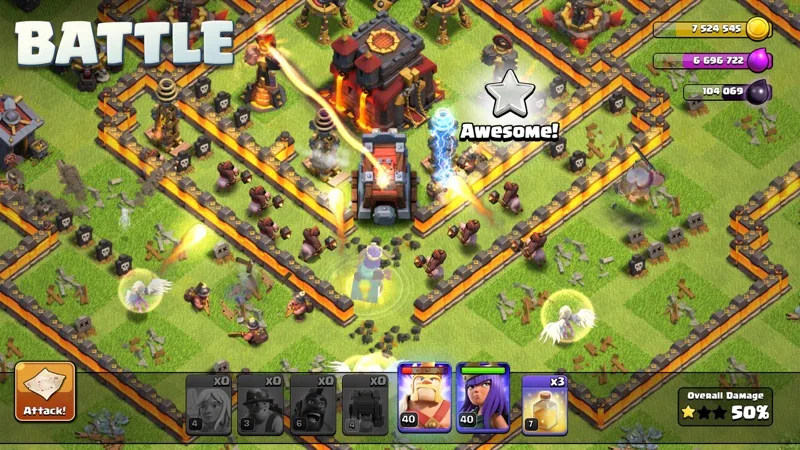
Clash of Clans: how to change your village scenery

- Customize your village with unique sceneries.
- Discover free tips to earn sceneries.
- Change the scenery easily with a step-by-step guide.
- Add decorative elements to improve your village.
- Explore the best sceneries to try.
In this article
- Introduction
- Why change your village scenery?
- How to get new sceneries?
- Changing your village scenery
- Customizing your village further
- Best sceneries to try
- Final thoughts
Introduction
Clash of Clans, the iconic game that had us all spending hours building villages, training troops and going to war. But did you know you can also customize the look of your village? Yes, it is possible thanks to sceneries. In this article, we will show you how to change the scenery of your village in Clash of Clans, so you can impress your friends and show off a bit in your clan. If you want a fresh look without rebuilding anything, changing the scenery is the fastest way to do it.
Estimated reading time: 5 minutes
Why change your village scenery?
Changing your village scenery is a bit like changing your look or lifestyle! It gives a new vibe to your whole game map and also shows your opponents that you are a design pro. Whether for a special season, an event, or just for fun, customizing your village is a great way to stand out. What changes is the atmosphere: the same buildings, a completely different mood. And let’s be honest, who does not love a well-decorated village?
How to get new sceneries?
First, you need to know where and how to find these new sceneries. Most of the time, they are available for purchase in the in-game shop, but here are 3 tips to get sceneries for free or at reduced prices. On paper, sceneries look like a pure luxury; in practice, events and seasonal gifts make them accessible to everyone:
- Special events: Supercell often runs events or promotions that let you earn unique decorations. Stay tuned for in-game announcements.
- Purchase with gems: If you are ready to spend a few gems, there are exclusive sceneries you can buy in the shop. Manage your gems, your resources and your budget if you want the most stylish village on the server.
- Seasonal gifts: At certain times of the year, like Christmas or Halloween, you can receive free sceneries as gifts. Check your game regularly so you miss nothing!
Changing your village scenery
Now that you know where to find sceneries, let’s see how to change them in your village. Here are the steps to follow to build your new look:
-
Open the game: As usual, launch Clash of Clans and log in to your account.
-
Go to the shop: Tap the shop icon at the bottom of your game interface. Once in the shop, look for the “Scenery” section.
-
Select the scenery you want: Browse the different sceneries available on the village map. You will see a variety of options, some of them even animated and adding a special touch to your village.
-
Buy the scenery: Once you have found the scenery you like, tap it to see the price. If you have enough gold or gems, or if the scenery is free, confirm your purchase. Watch point: limited-edition sceneries can be pricey, so check the price twice before tapping buy.
-
Apply the scenery: After the purchase, the scenery is applied to your village automatically. Take the time to admire your new look and show it off to your friends!
Customizing your village further
Changing the scenery is nice, but you can also customize other elements of your village. Here is a quick guide to build a village that looks like you:
- Place your buildings strategically: By rearranging your buildings, you can improve your village defense while making it more aesthetic. Do not hesitate to experiment with different layouts.
- Add decorative traps: Some traps are designed to be more aesthetic while remaining functional. Use them to make your village both beautiful and hard to attack.
- Update regularly: With Clash of Clans updates, new sceneries are often added. Stay tuned to the news and social media so you do not miss the latest novelties.
Best sceneries to try
When it comes to sceneries, there are a few must-try classics that every player should try at least once. Here is our shortlist of the best sceneries to build your dream village:
- Scenery Forest: With its trees and natural vibe, it is ideal for a peaceful village.
- Winter Wonderland: Perfect for the end-of-year holidays, this scenery pays off if you love seasonal events and cozy vibes.
- Halloween Horror: A classic for those who like slightly dark things. Pumpkins and ghosts add a festive and fun atmosphere.
- Royal Glade: This scenery makes your village royal with its colorful flowers and enchanting backgrounds.
Final thoughts
Changing the scenery of your village in Clash of Clans is a fun way to customize your gaming experience and show off your unique style. Whether you go for an epic look or a relaxed vibe, there is absolutely a scenery that will suit you. What matters is the mood and the timing you want to share with your clan. So, what are you waiting for? Launch the game, pick your favorite scenery and make your village shine like never before!
See also
- Barbarian’s Odyssey: How to Get the Most Out of the July 2026 Summer Jam
- May 2026 Update: Barbarian King Unlocks at Town Hall 4
- June 2026 Update: Hero Journey, Ruin Witch and Angry Spell Explained
- All mobile games
Sources
FAQ
How do I change the scenery of my village in Clash of Clans?
To change the scenery, open the in-game shop interface, select the "Scenery" section, then choose the scenery you want to buy and apply it.Is it possible to get sceneries for free?
Yes, you can earn sceneries for free by taking part in special events or receiving seasonal gifts.Which are the best sceneries to try?
Sceneries like Scenery Forest, Winter Wonderland, Halloween Horror and Royal Glade are must-try classics.How much does a scenery cost?
Prices vary: seasonal sceneries are often free during events, while exclusive ones are sold for gold or gems in the shop.Who publishes Clash of Clans?
Clash of Clans is published by Supercell and available on iOS and Android via the App Store and Google Play.